Applicant Tracking System for Small Business: When to Drop the Spreadsheet
When should your small team drop the spreadsheet for an applicant tracking system? What to look for, and what an affordable ATS looks like.
Most small teams start hiring with a spreadsheet and an email folder. It works for the first few roles. But as the team grows and every position pulls in dozens — sometimes hundreds — of applications, the spreadsheet turns into chaos. An applicant tracking system (ATS) for small business is exactly what fixes this: it collects, ranks, and advances candidates from application to hire in one place. This post covers when a small team should move to an ATS, what to look for, and what a simple, affordable solution looks like.
When does the spreadsheet stop being enough?
If a few of these signs feel familiar, the spreadsheet is slowing you down:
- You catch yourself reviewing the same candidate twice, or leaving one unanswered.
- You dig through multiple files and emails to find who's in which stage.
- Your teammates evaluate candidates with different, scattered criteria.
- You're pulling late nights just to read incoming resumes.
- You have no idea which channel brings good candidates.
These are all the structural limit of a spreadsheet: it stores data but doesn't manage the process, doesn't evaluate the candidate, and doesn't automate anything.
What does an ATS give a small team?
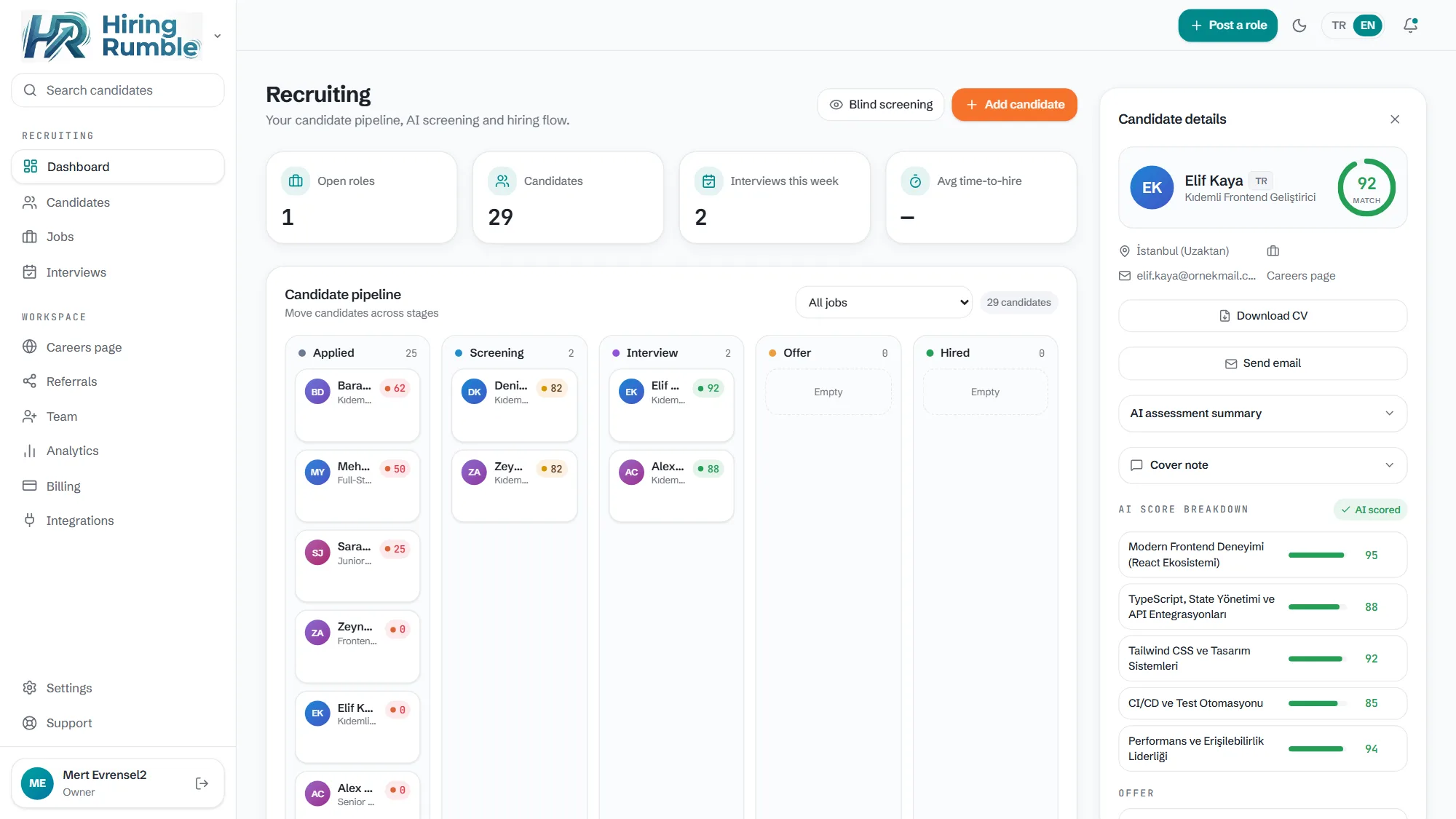
One pipeline. You see Applied → Screening → Interview → Offer → Hired stages on a drag-and-drop kanban. Where every candidate stands is clear at a glance.
Automatic screening. A good ATS reads each incoming resume against the role and ranks it. Hiring Rumble gives every application a 0-100 fit score and explains why it gave that score — instead of reading the pile all night, your strongest candidates surface at the top.
Branded careers page. Applications drop straight into the pipeline; no separate form to manage.
Team collaboration. With scorecards, notes, and role-based permissions, everyone evaluates the same candidate in one place, consistently.
Automatic communication. When a stage changes, the candidate gets an automatic email in their own language; no one is left hanging.
What to look for in an ATS for small teams
- Simplicity. Enterprise ATSes (like Greenhouse or Lever) are powerful but too heavy and expensive for a small team. You need a tool that opens instantly, not one that takes months to set up.
- Price. Is there a free plan? Is the entry plan within budget? Hiring Rumble's Free plan is $0, and Starter starts at $29/mo billed annually — well below enterprise ATSes.
- Smart screening. A system that doesn't just store resumes but ranks them for you — and shows the reason behind the score.
- Import. It should take your existing resumes (PDF/DOCX) and CSV easily.
- Risk-free trial. You should be able to try it in keyless demo mode before setting anything up.
- Room to grow. As your team grows, you should be able to add seats and step up to features like Deep Match and analytics.
Hiring Rumble's small-team approach
Hiring Rumble was designed for exactly this: "enterprise-ATS smarts at a small-team price." It opens instantly in keyless demo mode; you start risk-free on the Free plan and move to Starter and Growth as your team grows. AI scores every application, shows its explainable reasoning, and leaves the decision to you. You see AI cost clearly as credits — no surprise bill.
Related reading: AI Resume Screening · Best Applicant Tracking System