How to Choose the Best Applicant Tracking System (2026 Criteria Guide)
Which is the best applicant tracking system? The 7 criteria for choosing the right ATS for small teams — and why explainable AI matters.
There's no single right answer to "which is the best applicant tracking system?" — because the right ATS depends on your team's size, budget, and hiring volume. An enterprise ATS is too heavy and expensive for a one-person team; a spreadsheet carries a growing team only so far. In this post we treat "best" not as a brand but as the 7 criteria that reveal the right choice for you. At the end we'll show how Hiring Rumble answers them — you make the call.
What does an applicant tracking system do?
An applicant tracking system (ATS) keeps applications from getting lost across scattered inboxes and spreadsheets: it brings every posting, candidate, and stage into one place. A good ATS is more than storage — it parses applications automatically, helps you evaluate candidates, and speeds up the process. Here's what to look for when choosing the right one.
7 criteria for choosing the best ATS
1. Price and scaling
Evaluate monthly cost together with seat counts and open-job limits. A small team doesn't need enterprise pricing; a free starting plan and a transparent upgrade path are ideal.
2. AI screening — and explainability
Most ATSs now offer an "AI score." The real question is: does it show the reason behind the score? A black-box number makes your decision hard to defend. A system that gives reasoning across skills, experience, and fit earns both trust and accountability.
3. Setup and learning curve
Even the most powerful system is wrong for a small team if it takes a week to set up. A keyless demo or getting started in minutes is a genuine advantage.
4. Careers page and application flow
Publishing postings on a branded careers page, with applications flowing straight into the pipeline, removes the separate-form headache.
5. Collaboration and roles
Scorecards, notes, and role/permission control are needed for consistent team evaluation.
6. Localization
Having both the interface and candidate emails in your working language (e.g., TR + EN) directly affects candidate experience and conversion.
7. Transparent AI cost
Systems that use AI carry a "surprise bill" risk. A credit-based, dashboard-trackable model makes cost predictable.
How Hiring Rumble answers these criteria
Hiring Rumble was designed for exactly this checklist for small and growing teams:
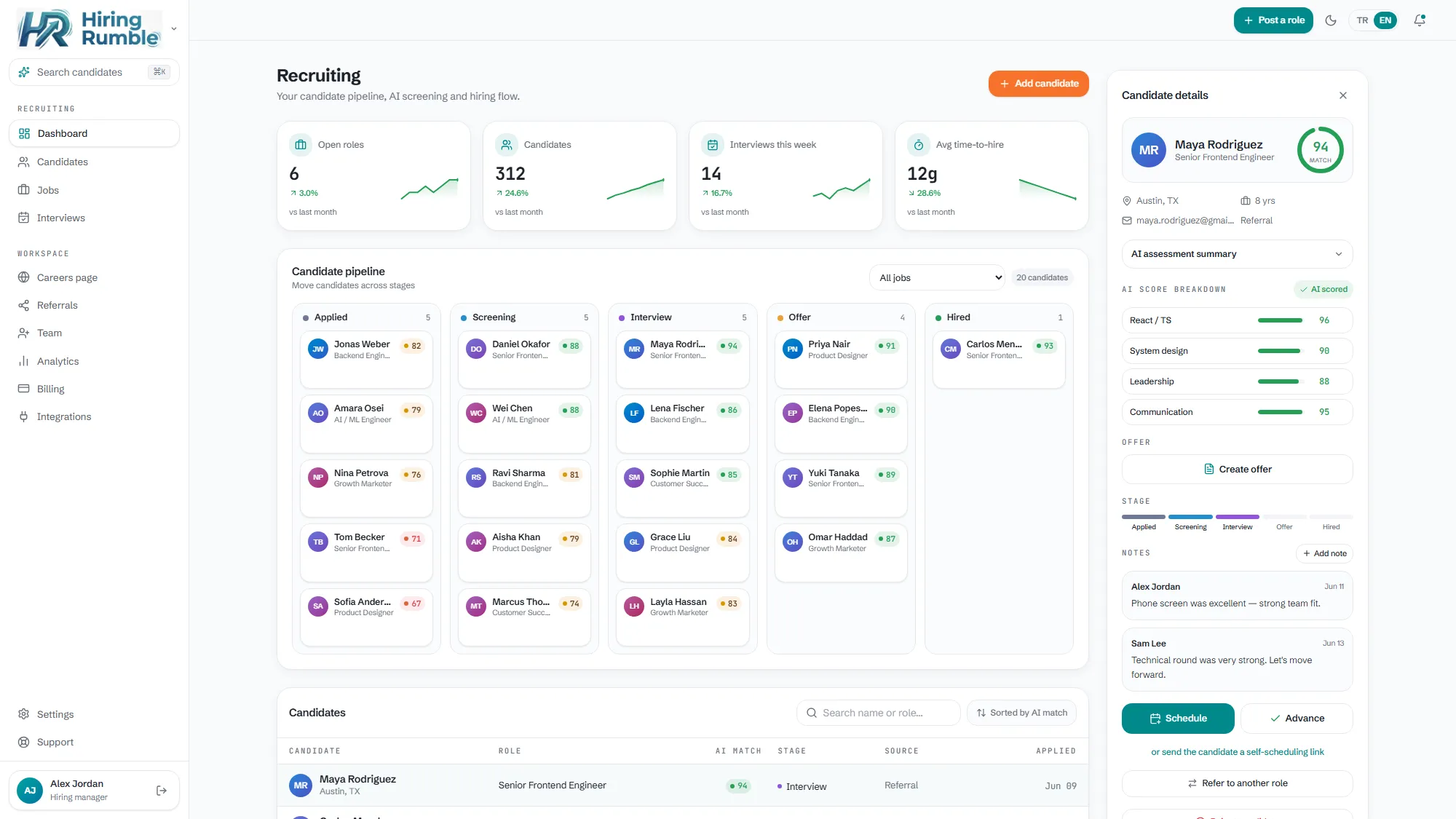
- Explainable AI: reads each resume against the role, gives a 0-100 fit score, and shows the reason for every score across skills/experience/fit — not a black box.
- Small-team price: start on the free plan ($0); paid plans sit far below enterprise ATSs.
- Instant start: opens in keyless demo mode with realistic sample candidates, nothing to set up.
- Branded careers page + pipeline: applications are parsed and scored into the kanban automatically.
- Bilingual (TR/EN): interface and candidate emails in both languages.
- Transparent credit model: you see AI usage clearly via credits; no surprise bill.
In short: enterprise-ATS smarts at a small-team price — and the decision is always yours.
Related reading: AI Resume Screening · Applicant Tracking System for Small Business
Frequently Asked Questions
Which ATS is best for a small team? "Best" depends on your team. What matters for small teams: affordable price (a free start), explainable AI screening, fast setup, and a branded careers page. Hiring Rumble offers all four in one package.
Is a free applicant tracking system enough? For your first hires and a single open role, usually yes. As volume and the team grow, you'll need more seats, postings, and AI credits — so a transparent upgrade path matters.
Does the ATS AI decide for me? No. In a good ATS, AI screens, ranks, and gives reasoning; you make the accept or reject. That's exactly why explainability matters.