How to Screen Resumes (A Step-by-Step Practical Guide)
How do you screen resumes? The steps of a fair, fast resume screen, common mistakes, and how AI speeds it up — while keeping the decision yours.
When hundreds of applications arrive for one posting, the most tiring work begins: screening resumes. So how do you screen resumes in a way that's both fair and fast, without letting good candidates slip away? Good screening isn't a haphazard "reject and move on"; it's a consistent process that evaluates every candidate against the same criteria. In this guide we build resume screening step by step, show common mistakes, and explain how AI speeds it up — while keeping the decision yours.
Step 1: Clarify criteria before screening
Before you start, write down what the role actually requires: required skills, needed experience, and "nice to haves" separately. Screening done without clear criteria becomes inconsistent and open to bias. A good job posting is the foundation of good screening.
Step 2: A first pass on required criteria
On the first pass, look only at the "must haves": does the candidate have the skills and experience critical to the role? This pass should be fast; the goal is to separate clear non-fits and carry the "maybes" to the next round.
Step 3: Evaluate every candidate by the same measure
Score the remaining candidates against the same criteria set. Instead of a gut "I liked it," look at concrete dimensions like skills, experience, and fit. Consistency makes screening both fair and defensible.
Step 4: Note your reasoning
Briefly write down why you advanced or rejected a candidate. This ensures team consistency and later answers the "why this candidate?" question. Screening without reasoning is screening without accountability.
Step 5: Read the shortlist with human eyes
Always read the shortlist that passes the first pass as a human. The nuance in a candidate's story, a career switch, or context often tells what the number doesn't. The final decision must always stay with the human.
Common screening mistakes
- Inconsistent criteria: measuring each candidate differently.
- Keyword obsession: matching exact posting words misses good candidates who phrase things differently.
- Surrendering to first impressions: rejecting a candidate on a single detail.
- Not keeping reasoning: makes the decision indefensible.
- Slowness: if screening drags on, good candidates accept other offers.
How do you speed up resume screening with AI?
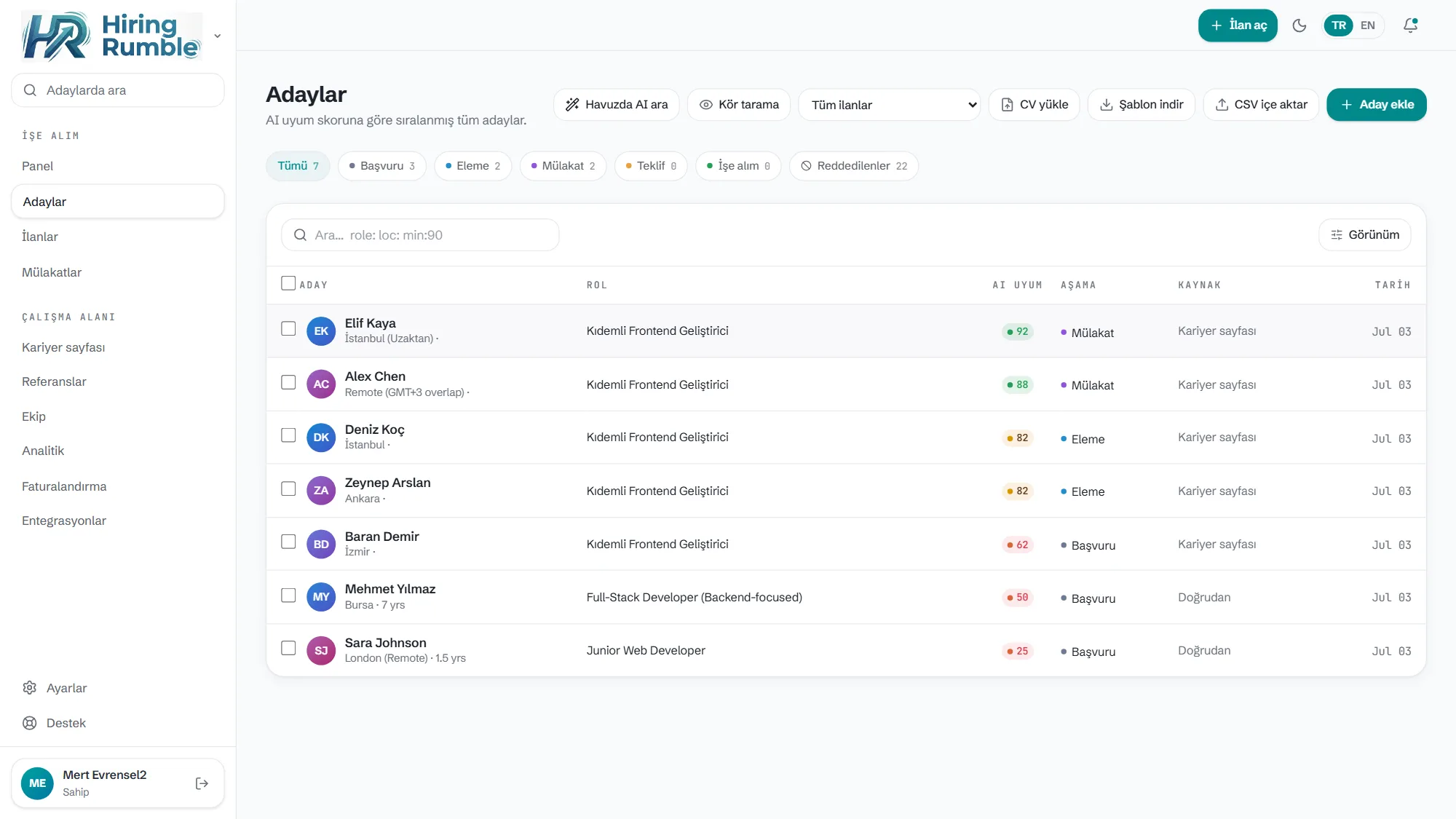
Manual screening across hundreds of resumes is both slow and tiring — and fatigue brings inconsistency. Here AI becomes a powerful assistant: Hiring Rumble reads each resume against the role, gives a 0-100 fit score, and shows the reason for every score across skills, experience, and fit. So the first pass takes seconds and the strongest candidates surface at the top. For critical roles, Deep Match (Sonnet) offers a more nuanced analysis.
The key point: AI screens and ranks, but you make the accept or reject. Because you see the reason behind the score, you can defend your decision with reasoning — you don't trust a black box blindly.
Related reading: AI Resume Screening · Explainable AI Hiring
Frequently Asked Questions
Won't AI increase bias in resume screening? A black-box AI can; an explainable AI helps, on the contrary. When you see the reason behind a score, you can spot and correct an illogical pattern. The decision is always yours.
After how many resumes do I need AI? There's no fixed threshold, but once applications exceed what you can read consistently by hand (a few dozen for most teams), AI speeds up and makes the first pass consistent.
Does AI screen instead of me? No. AI ranks and gives reasoning; you read the shortlist and make the decision.