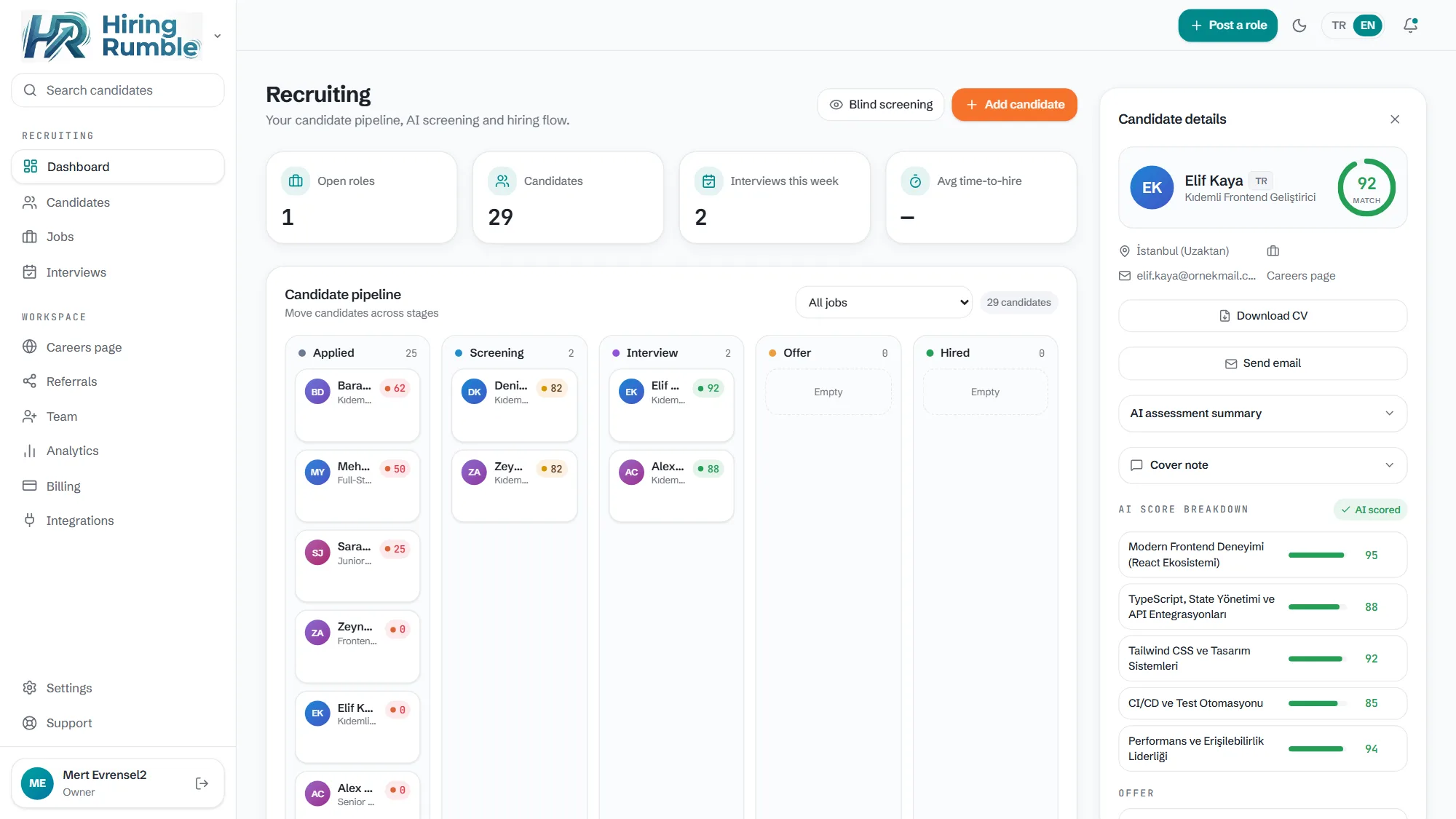
Drag-and-drop stage management
Candidates move through Applied → Screening → Interview → Offer → Hired. Drag a card to change the stage; optionally let the stage change trigger an automatic email too.
- A clear five-stage flow, drag-and-drop
- Stage changes can trigger automatic emails
- Score, source and last activity on every card
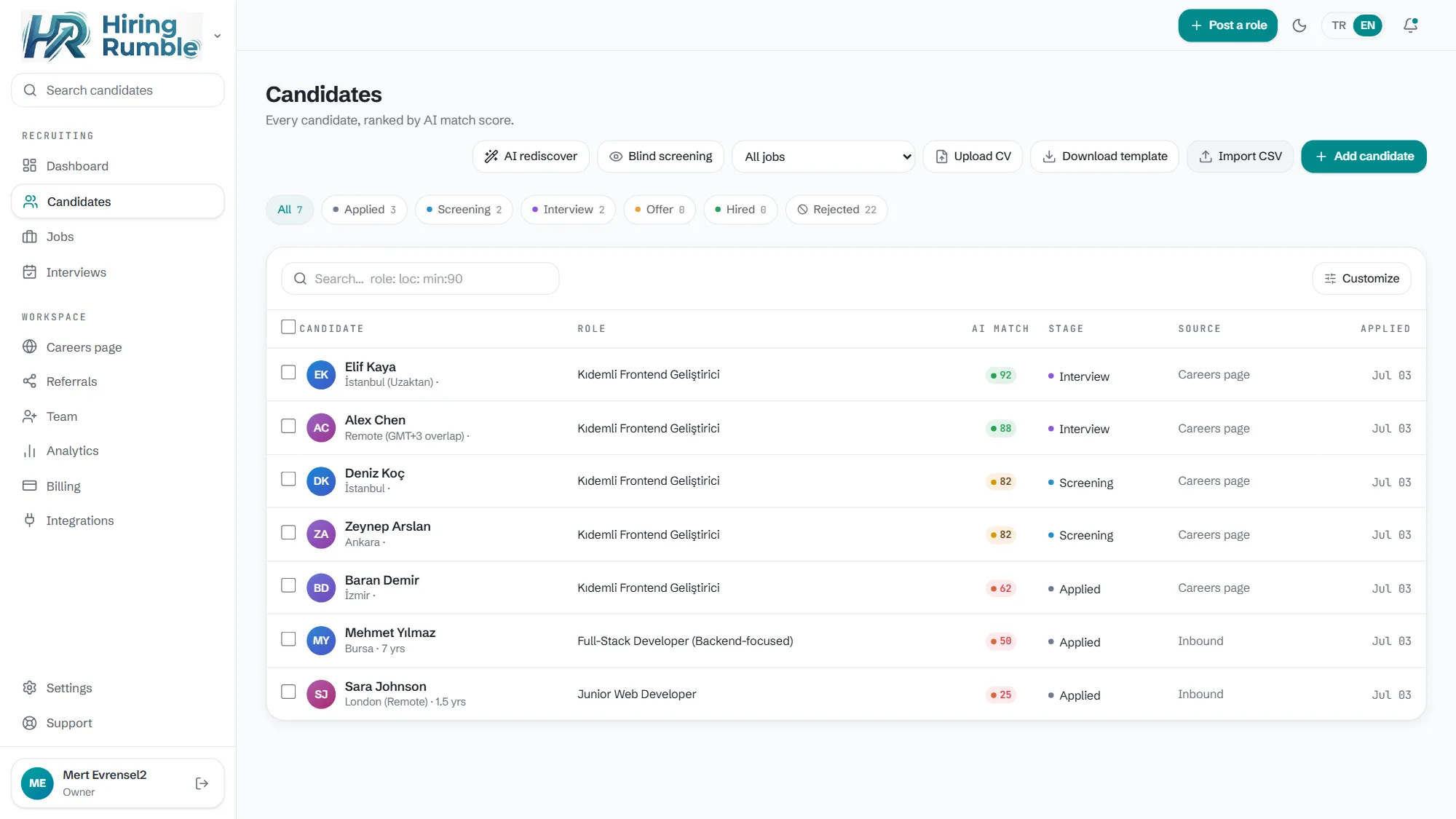
Bring your candidates over in seconds
Bulk-import your existing candidate list via CSV — download the template, fill it, upload. Adding one by one? Just drop the CV file: PDF or DOCX is parsed automatically and the profile fills itself.
- Bulk import with a CSV template
- Drop a CV, the profile auto-fills (PDF/DOCX)
- Imported candidates get AI-scored too
The candidate's whole story on one card
CV, AI score, email history, interview notes, offers — all on the candidate card. When a teammate takes over, no context is lost; who wrote what and what was discussed is all there.
- CV preview and download
- Full email and activity history
- Team notes and evaluations
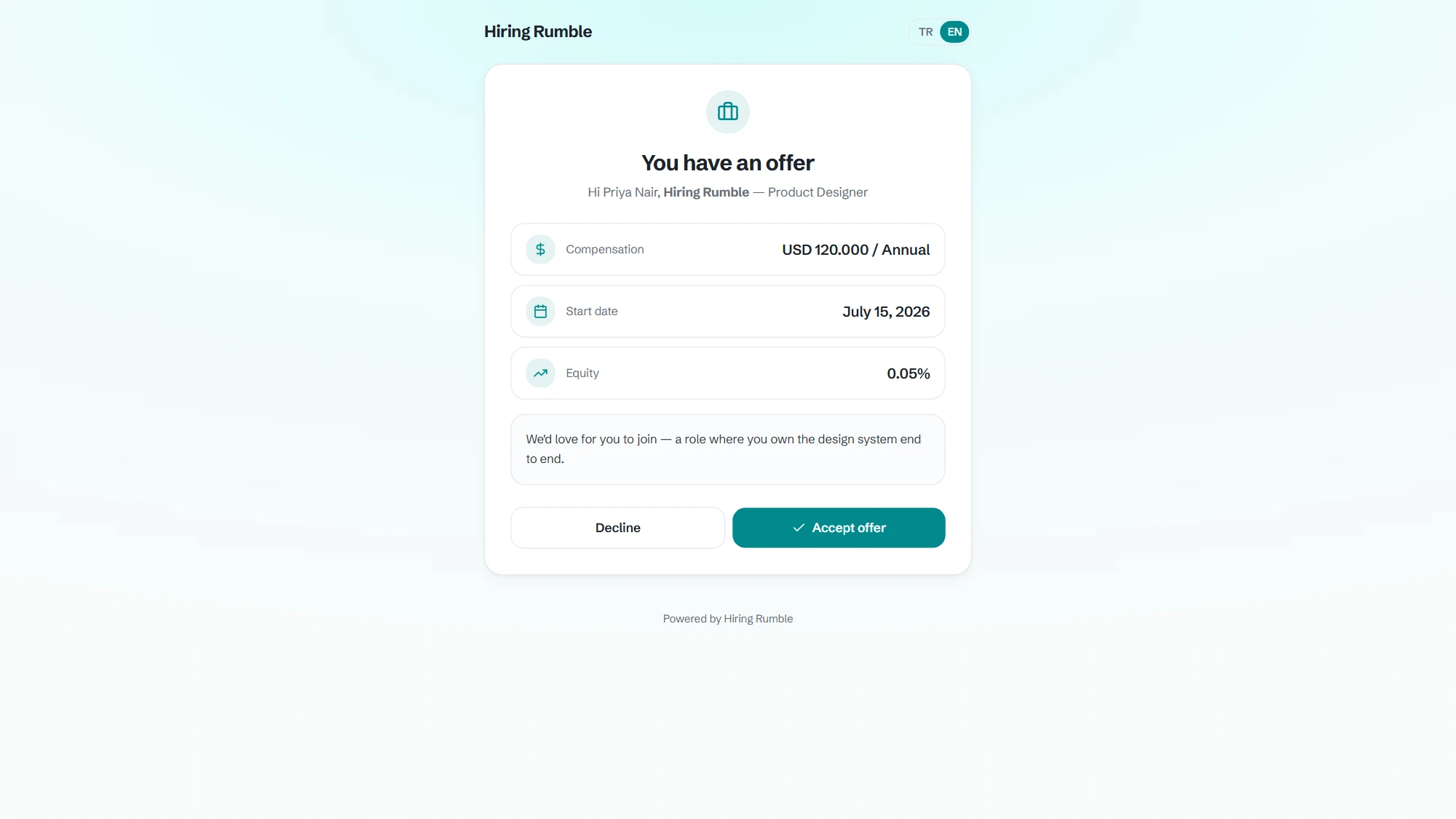
Offer letters in one click
Generate an offer letter from a template for candidates at the offer stage; they view and respond via a secure link. Accepted or pending — track it from the board.
- Template-based offer letters
- Secure per-candidate viewing link
- Accept / decline status flows to the board
- Optional multi-step approval chain (role-based)
Frequently asked questions
Can I customise the stages?
The flow ships with five core stages: Applied, Screening, Interview, Offer, Hired. This structure keeps reporting and automated emails simple.
Can I migrate candidates from another ATS?
Yes. Export a CSV from the other system, map it to our template and bulk upload. CV files can be added to candidate cards individually or via the application link.
Can a candidate be on multiple jobs?
Yes, the same candidate can progress through multiple jobs independently; they get their own score and stage per job.