
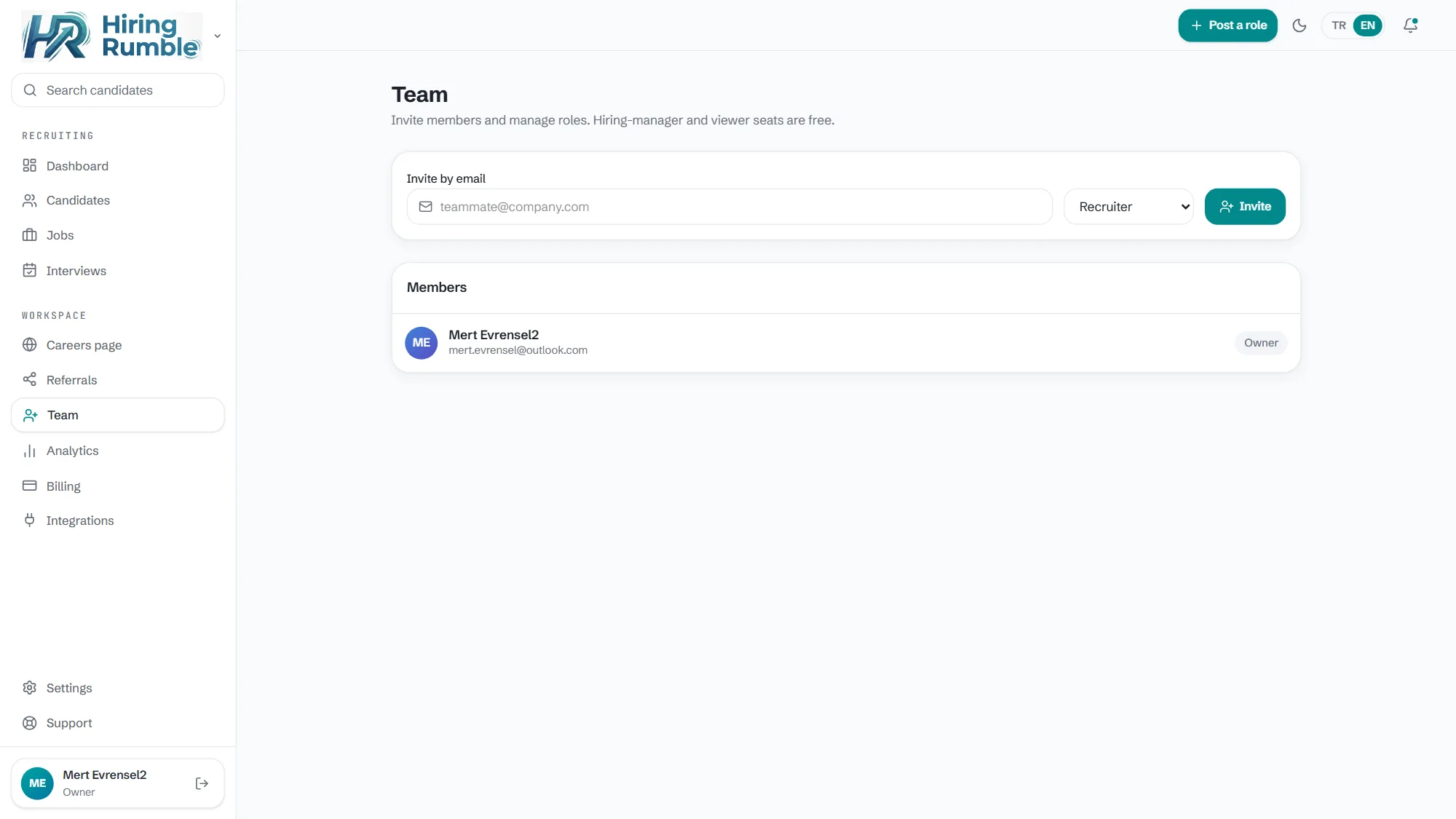
Invite by email, join in seconds
Type a teammate's email, pick their role, send. One click on the link and they're in the workspace — no setup, training or IT ticket.
- Secure, expiring invite links
- Role assigned at invite time
- See and manage pending invites
Role-based permissions
Admins see everything; recruiters manage candidates; interviewers see only their own interviews and notes. Sensitive data like salary expectations stays away from the wrong eyes.
- Admin / recruiter / interviewer roles
- Tiered access to sensitive fields
- Who did what — an activity log
A permission matrix you control
When the preset roles aren't enough, edit the role × permission matrix yourself: 14 distinct permissions across 5 roles. "Can recruiters send offers? Should hiring managers see analytics?" — all on one screen, one click each.
- 14 permissions × 5 roles, editable per org
- Changes can only restrict, never over-grant
- Restricted recruiter visibility on Growth+
Interview scorecards
Structured feedback after every interview: a 1-5 star rating, a clear recommendation (strong yes → strong no) and notes. Decision meetings run on comparable data instead of "I liked them."
- Star rating + recommendation + free notes
- Scorecards shared with the team on the card
- Blind screening reduces bias on first review
Employee referral program
The best candidates often come from your team's network. Let employees refer candidates, track referrals on the board, and see which ones convert to hires.
- A simple referral submission flow
- Referral source visible on the card
- Report on converted referrals
Frequently asked questions
How many team members can I add?
It depends on your plan; seat counts are listed on the pricing page. Upgrade as you grow.
Can interviewers see salary expectations?
No. The interviewer role sees only what's needed for the interview; sensitive fields are visible to admins and recruiters.
Sent an invite to the wrong person — can I cancel?
Yes, pending invites can be cancelled from the Team page; a cancelled link stops working.